How to read IPD & BBB BlackBerry backups

Ever find yourself needing to recover emails, contacts, texts, or other data stored in your BlackBerry's IPD backup file?
BlackBerry Backup Extractor can extract all types of BlackBerry backups. Here's a guide on how to extract the information stored in BlacbBerry BBB or IPD backup files, using BlackBerry Backup Extractor in four simple steps.
How to extract data from a BlackBerry backup
BlackBerry Backup Extractor shows you a preview of what's in your backup and lets you select the type of data you'd like to recover. Those categories include the following:
- Contacts
- Calls
- SMS messages
- MMS
- BBM messages
- Emails
- Calendars
- Tasks
- Memos
- Bookmarks
- Photos
- Videos
- Ringtones
- App data
- Storage files (things like backups of your BBM chats)
Let's get started.
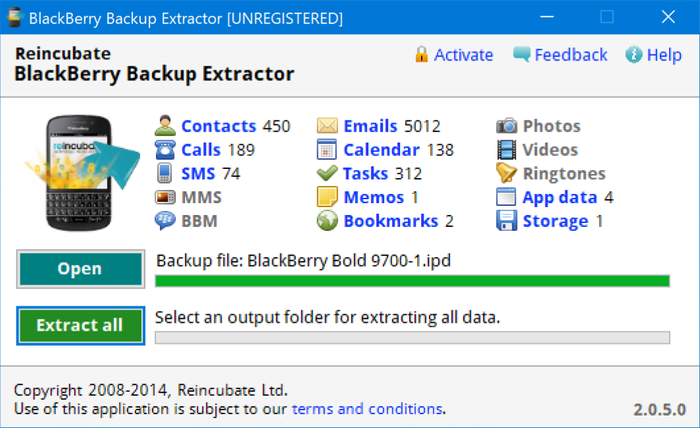
Download BlackBerry Backup Extractor and open your BlackBerry backup.

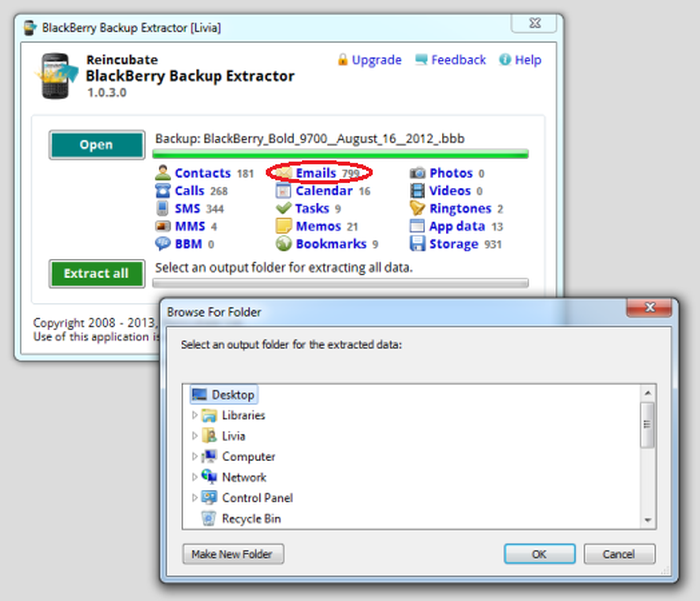
BlackBerry Backup Extractor's overview Choose what type of data you wish to extract. In this example, we've chosen email.

BlackBerry Backup Extractor extracting emails Choose the output folder, press
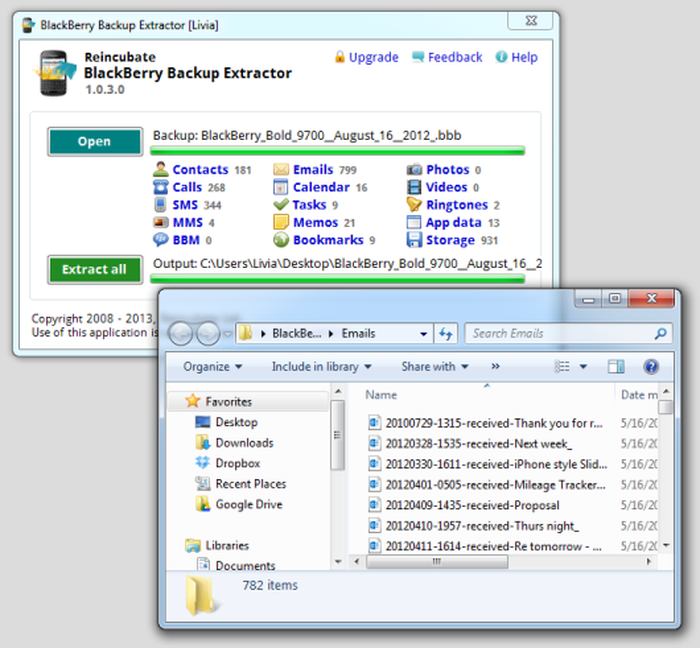
Extractand recover your emails: these will be saved to your Desktop asemlfiles
BlackBerry Backup Extractor after extracting emails
How to extract all data from a BlackBerry backup
First, download the free version of Reincubate BlackBerry Backup Extractor and run it.

BlackBerry Backup Extractor's overview Select your BlackBerry backup file
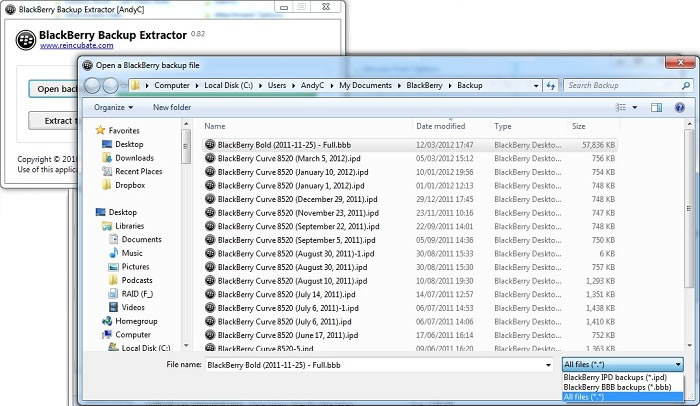
Click the "Open backup..." button to load your IPD backup file into the software. You'll see that the BlackBerry Backup Extractor automatically knows where to look for your files, so you should see any backup files presented straightaway. You don't need to have BlackBerry Desktop Software installed for this to work.

BlackBerry Backup Extractor browsing for IPD and BBB backups You don't need to have a copy of BlackBerry Desktop Manager to use BlackBerry Backup Extractor: it's possible to open a backup from a USB stick, email attachment, or even another computer.
Click to extract all data stored in the backup
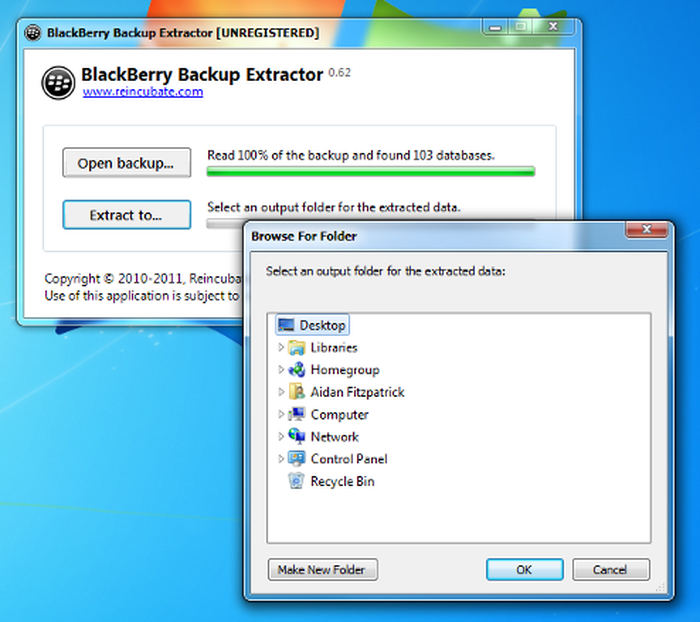
Once the backup has been opened, you'll see BlackBerry Backup Extractor reports on how much of the backup it has read, and how many databases of information it has found.
Select a location to extract the backup data and files into and that's it! Backup data such as contacts, emails, memos, calendar events, media files (phone storage only), SMS & MMS message and BBM conversations will be recovered and saved in the folder you chose.

BlackBerry Backup Extractor selecting output folder
Now, let's take a look at the data you've recovered.
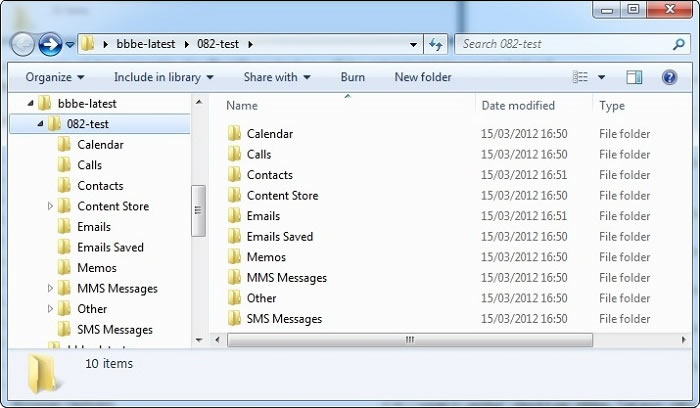
You should see the following types of extracted file available:
BlackBerry Messenger conversation and backup files
BBM data will be extracted into these folders:
\BBM Conversations\conversations.csv\Content Store\home\user\im\BlackBerry Messenger\322E5CD6\backup\
Photos, pictures and music
Your photos, music and camera roll will be extracted here:
\Content Store\home\user\camera\\Content Store\home\user\pictures\\Content Store\home\user\music\
App data and files
These will be extracted here:
\Content Store\appdata\
Sent and received emails, and saved email drafts
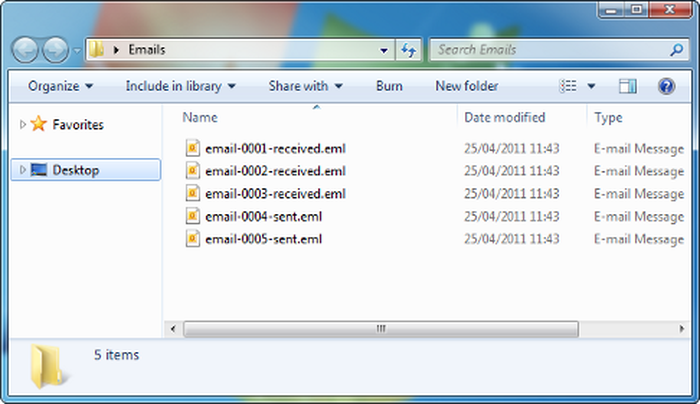
Your BlackBerry's emails will be extracted in eml format, which can be easily read by Microsoft Outlook and a number of other email clients. Note that BlackBerry Desktop Manager rarely saves email attachments in its backups. This means the extractor will rarely recover them.
Contacts and address book
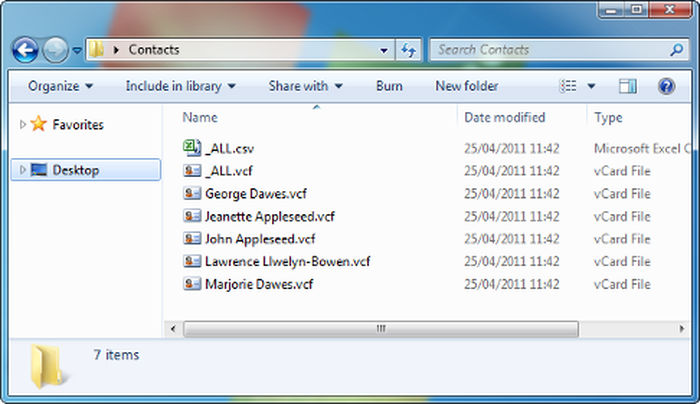
The contacts and address book in the BlackBerry IPD file are extracted in a variety of formats: simple CSV for easy use, and as a big VCF file for import into a variety of webmail platforms. In addition, each individual contact is exported to a VCF file for easy import into Microsoft Outlook or the Windows Address Book.
Phone call history
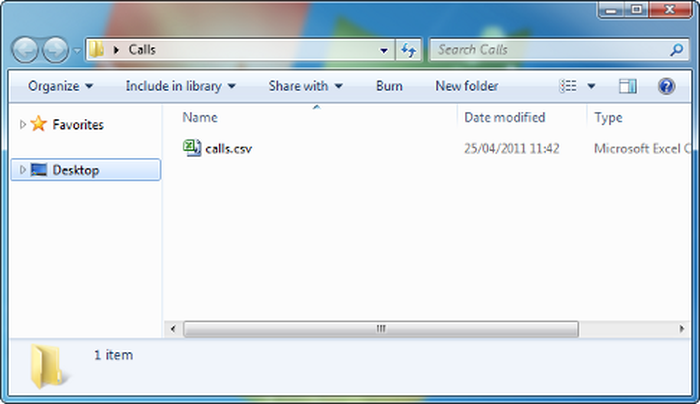
The backup's phone call history will be exported into an easy to read CSV file.
SMS and text messages
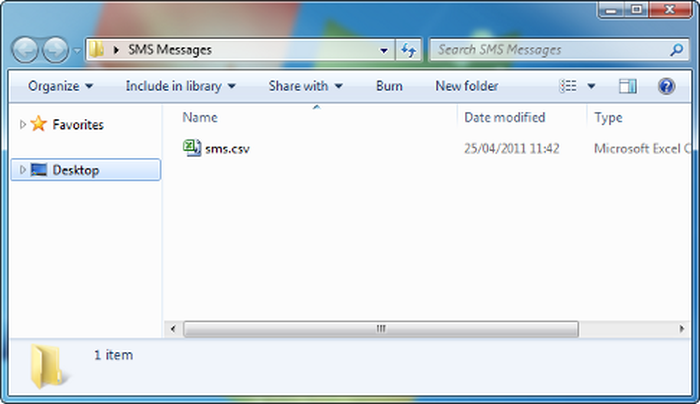
SMS and text messages from the BlackBerry backup file will be saved into a nice, simple CSV file.
MMS data will be extracted into these folders:
\MMS Messages\\MMS Messages\images\\MMS Messages\vcards\
Calendar appointments
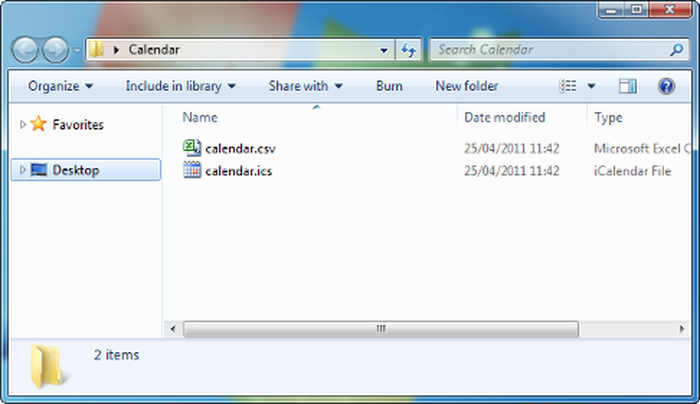
All calendar appointments included in the IPD file will be exported into a simple CSV, and also into an ICS/ICal file for easy import into your email or calendar client.
Tasks and memos (notes)
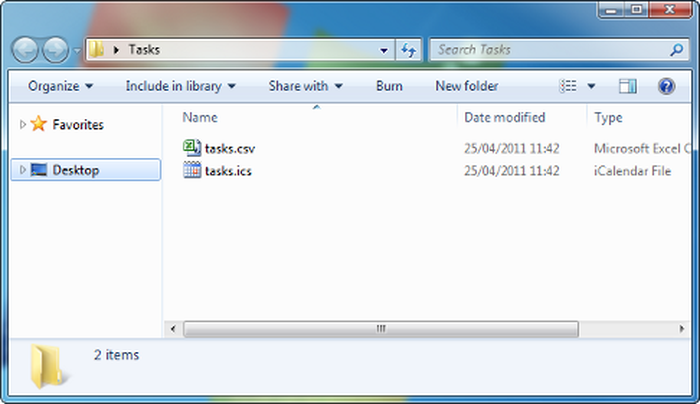
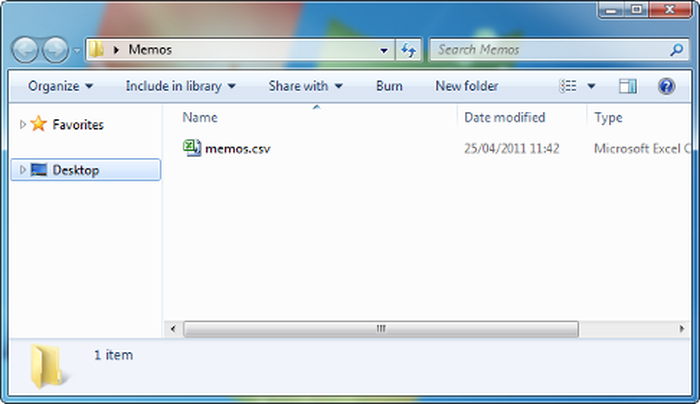
The tasks and memos (notes) are extracted into CSV files, and tasks are also extracted into a handy ICS/ICal format for import into most email or calendar software.
What format does BlackBerry use for backups?
Historically, BlackBerry Desktop Manager has saved BlackBerry Backup files in IPD format on Windows, and BBB for on macOS. IPD format backups have been part of the BlackBerry Desktop Manager's backup genetics since before we can remember. The Mac's files were a compressed version of the Windows format. IPD stood for "Inter@ctive Pager Backup", which BlackBerry possibly deemed to be an archaic description, worthy of replacement.
BlackBerry Desktop Software 7 was released in February 2012, shortly after the release of PlayBook OS 2. This new version of BDS introduced a new format 2 for BBB backup files for both Windows and macOS. The new format has other differences, and now contains a compressed set of DAT files. Each DAT file contains a relevant subset of data such as contacts or calendar.
| Extension | OS | Version | Notes |
|---|---|---|---|
IPD |
Windows | BDM 1 - 6 | Classic "Inter@ctive Pager Backup" format |
IPD 2 |
Windows & macOS | BDS 6.1 | Used by BlackBerry PlayBook only |
BBB |
macOS | BDM 1 - 6 | Zipped IPD |
BBB 2 |
Windows & macOS | From BDS 7+ | New format from 2012 |
Good luck recovering your data -- and please reach out to us if you need support.


by Bronco Bob
I have a Blackberry 8330 (I love the trackball)..Verizon is my carrier..they tell me as of Demember 2019 my 8330 will no longer work on their network so I'll need to ourchase a new phone..I backed up my Blackberry to my laptop (pc)..however when I try to open my backup file it can not be read..will your software be able to get my contacts from either my existing backup files on laptop and convert the files to a word doc on my laptop...I have a cable so i'm able to plug my blackberry into my laptop..Advise how to help my dilemma...Thanks..btw, what is the cost for your software..if your software can solve my problem..
reply by: Reincubate Support
Hi Bob, thanks for your note. Sure, drop us a note or message us on live chat. BlackBerry Backup Extractor can recover data from the 8330, and it costs $24.95.
by fabiola
Hi, is it possible to read voice notes in the blackberry backup with your program?
reply by: Reincubate Support
Hi Fabiola, it sure is! We've dropped you an email to guide you through the process. Thanks!
by Sue
Got a little from my backup - elcomsoft got nothing! But I don't know the difference in ipd or bbb.
Lots of info missing. Only 5 contacts there etc. I had an old curve then a HTC cant remember now which I used to restore to my new phone. Is this the problem or are the files corrupt?
reply by: Reincubate Support
Hey Sue, thanks for commenting. I think you're using the free version of BlackBerry Backup Extractor. That'll get the first 5 files out. If you buy a license it'll export all of them for you. 🙂
by Philip Buckmaster
Hi, I want to extract my calendar, but the free version only extracts 5 entries, which isn't enough to see if it's worth buying. The entries are not in date order.
This also seems to be the case with other similar software. I don't want to pay for something that doesn't do what I want - to be able to look at, for example, a csv file, and see what I've got this week. Can you help?
reply by: Reincubate Support
Hi Philip, thanks for your email and for checking out the free version. We deliberate have the free edition return records from a range of dates. Don't forget we have a money back promise if the software doesn't work for you. 👩💻
by Al Catraz
And is there -- somewhere -- the layout of he BBB file format? I would like to be able to write an app to read it - just like others apps do ...
reply by: Reincubate Support
Like BlackBerry Backup Extractor? 👩🏫
by wally
do you have a version for macs?
reply by: Reincubate Support
@Wally: we sure do! You should see the download link above.
by hansp
I do have version 6.1 of the desktop SW and did try to install the 7.1 Bundle on my Torch. Now I do have a bbb file that I have no way to read back onto my device! Just a mess. No wonder RIM is having a hard time...
reply by: Reincubate Support
BlackBerry Desktop Software 7 is now out, so this should be OK to restore
.BBBfiles on Windows. If not BlackBerry Backup Extractor can help extract any BlackBerry backup format.by gail pink
hi my son pressed clear instead of copy on his bbm can this history be retrieved
reply by: Reincubate Support
@Gail, if the he created a backup prior to the clearing his BBM messages, then yes -- in CSV format. You can try BlackBerry Backup Extractor for free just to see if he has any backups or not.
You could even restore just the BBM messages using the BlackBerry Desktop Manager, we have articles here on how to do this: How to recover BlackBerry Messenger contacts and conversations
by jay
sorry, one other question. HELP please!!! i am using desktop manager 4.6.0 on a 3 yr old 8310 curve. (i know, both old.) i had numerous critical "saved as draft" emails that were not actually sent. are these recoverable from my files? i think my phone memory was low and something happened a week or so ago and i lost alot of my email file (and others)on the phone that i had been backing up to bbm. thanks!
reply by: Reincubate Support
@Jay; When extracting from you backup the BlackBerry Backup Extractor should save these in a folder called "Emails Saved". If not these were not saved to the backup, it's probably better to ask this sort of question in support -- please reach out direct. 🙂
by sarah
i am wondering if my photo's and video will be saved on the blackberry backup files, and can your product open them up?
reply by: Reincubate Support
@Sarah, only if the photos and video were save to the phone memory, not the SD Card. Also they have to be backed up via DM before they were deleted. If you deleted from the SD card there is software that tries to recover deleted files from these.
by Andy
BlackBerry Desktop Software 7 is still not available from the BlackBerry download page. It's worth pointing out that DM 7 creates backups in
BBBformat, so if you have had to downgrade to DM 6 you'll have issues accessing theBBBfile data until DM 7 is relaunched.by Terrence A. Carr
I have already purchased your program. Are the BlackBerry messages saved in the backup procedure and if so how can I see them using your program
reply by: Reincubate Support
@Terrence, yes they are. You can find related BBM files in these folders:
BBM Conversations\conversations.csvContent Store\home\user\im\BlackBerry Messenger\322E5CD6\backupby Chris Perry
I have come stuck with importing my blackberry.orange.co.uk emails to another phone. Is the process outlined above able to convert my blackberry emails to a gmail?
regards
C Perry
reply by: Reincubate Support
Hi Chris, the simplest way would be to access your Gmail with Microsoft Outlook, and drag the exported files into Outlook. That'll sort it out. 🙂 Reach out to us if you get stuck!
by Mike Trevethan
How do I view extracted file in MS Outlook?
Regards Mike
reply by: Reincubate Support
@Mike: You can just import the either contacts or calendars using the extracted CSV, iCal or iCS files. We have more information here.
by Jocelyn Ivie
Wondering if it recovers the Password Keeper. Thanks!
reply by: Reincubate Support
Hey Jocelyn, thanks for commenting. Yes, BlackBerry Backup Extractor recovers data from Password Keeper. You'll need to use Password Keeper to read the the extracted file. Reach out to us if you get stuck!
by Pedro
Hello.. I Would like to purchase your software, Blackberry Backup Extractor.
However i've been trying to figure out if the "Purged Messages" Database are actually readable. I've spent quite a alot of time googling this now, and did not get any answers,.Please advise.
reply by: Reincubate Support
@Pedro Thanks for your interest in the Blackberry Backup Extractor. The way messages are 'purged' is often dependant on the service provider of the phone, the settings used and the BB OS. The application cannot recover deleted messages unless they are backed up in a IPD, few service providers tend to do this at all but it does happen now and then.
You can try the BBBE application for free, once you extract data from the IPD file navigate to the follow folder:
EXTRACTED-FOLDER\Other\Purged MessagesYou will either see a sample of deleted messages, deleted message references (useless pointer info) or an empty file.
by NewJerseyGuy
The Blackberry Backup Extractor works great and the extracted
.emlfiles can be imported seamlessly into Windows Live Mail (free download from Microsoft). All attachments and formatting is retained.My only remark at this point is that Live Mail fails to import multiple vcf files even though it did the first 3 or so and throws up an error. I can still pull an individual vcf in but hope that this is fixed soon.
reply by: Reincubate Support
Hey NewJerseyGuy, thanks for kind words. We're glad it worked out for you. Microsoft are due to update Live Mail's import functionality soon -- it's overdue!
by Susan
Can this backup converter recover photos from the media/all pictures folder on BB?
If so, then what type of file shows up on extraction?
reply by: Reincubate Support
Hi Susan, yes it can. They'll be extracted in whichever format they're stored on in the device: usually that means JPEG format for most of them. Download the free edition and give it a go.
by Stryker Moses
Does the registered version decrypt password keeper items
reply by: Reincubate Support
Hi Stryker: the registered version will extract your Password Keeper file in Password Keeper's own format: you'll need Password Keeper to read the file, however. 👍